Safe Use Of Intraoral Cameras begins with a simple principle: clear images must never compromise patient safety. In a busy operatory, the camera may touch saliva, gloves, retractors, and nearby surfaces within minutes. Each contact requires a deliberate response. The Centers for Disease Control and Prevention’s Summary of Infection Prevention Practices in Dental Settings emphasizes standard precautions, hand hygiene, barrier protection, and correct instrument reprocessing. These measures also apply to intraoral imaging equipment.
The details matter.
Disposable sleeves should cover the camera head, cable connection, and controls that clinicians may touch during imaging. Manufacturers’ instructions must guide cleaning and disinfection, because some devices cannot tolerate liquid immersion or harsh chemicals. The U.S. Food and Drug Administration has repeatedly highlighted the importance of following validated reprocessing instructions for reusable medical devices. Skipping one step can leave contamination behind. That is uncomfortable, but realistic.
Dental infection-control educator Mary Govoni has stated, “Infection prevention is everyone’s responsibility.” Her point fits intraoral imaging closely. Clinicians, assistants, and patients each influence the safety chain. A 2023 report from the American Dental Association’s Health Policy Institute also shows how strongly patients value trust and communication in dental care. A clean camera supports both.
Still, perfect routines are difficult. A hurried assistant may forget the keyboard. A torn sheath may go unnoticed. Safe Use Of Intraoral Cameras therefore requires visible checklists, staff training, equipment-specific protocols, and regular review. The best system is not merely written. It works during the busiest appointment.
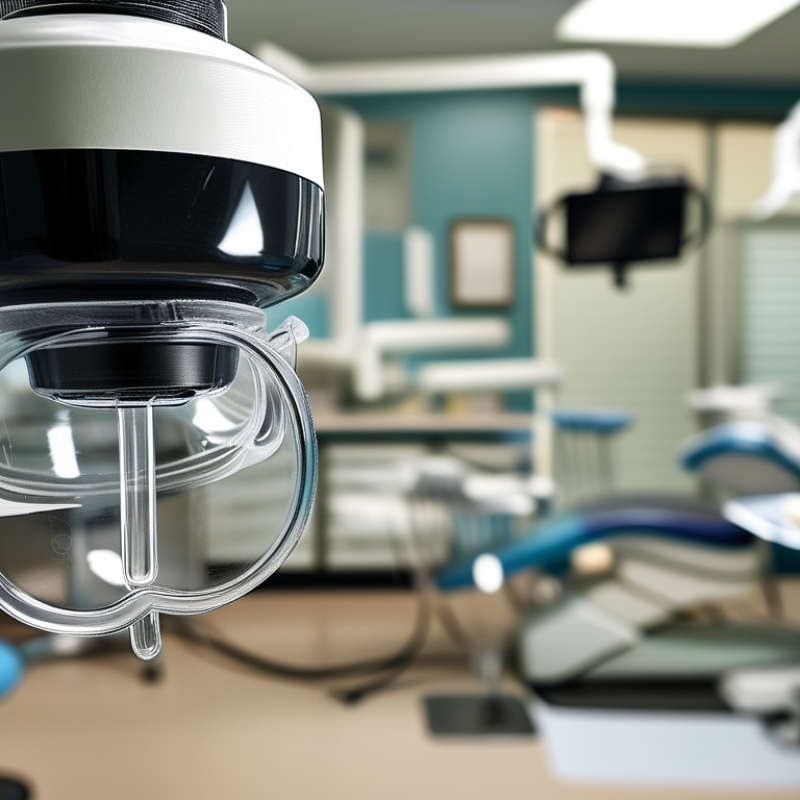
Choosing an intraoral camera safely starts with reprocessing, not image quality. The CDC’s Summary of Infection Prevention Practices in Dental Settings classifies instruments touching mucous membranes as semicritical. Therefore, select a camera handpiece that tolerates validated heat sterilization whenever possible. If it cannot, use an FDA-cleared barrier and follow the manufacturer’s reprocessing instructions exactly. ISO 17664-1:2021 also requires manufacturers to provide clear processing information. Missing instructions are a warning sign.
Look for a smooth, sealed body with minimal seams. A detachable, autoclavable head can reduce cross-patient contamination risks. Confirm the sterilizer cycle, drying requirements, and maximum reuse count before purchase. A camera should also offer stable focus, sufficient illumination, and a viewing angle that prevents repeated contact with soft tissues. In practice, staff may choose a sharper image and overlook the cable, holder, or control buttons. That is an avoidable mistake. Every exposed surface needs a cleaning plan.
The CDC’s 2016 dental infection-control guidance supports using disposable barriers on non-sterilizable components. Still, barriers can tear around buttons or cable joints. Inspect them under bright operatory light. Test removal without touching clean surfaces. A camera is not clinically safe merely because it looks clean. The WHO Global Oral Health Status Report 2022 estimates that oral diseases affect nearly 3.5 billion people worldwide, reinforcing the need for reliable, repeatable examination tools. My own selection checklist would prioritize documented reprocessing, staff training, and audit records over impressive specifications. Small failures matter.
Before examination, prepare the camera, operatory, and patient carefully. The World Health Organization’s Global Oral Health Status Report 2022 estimates that oral diseases affect nearly 3.5 billion people worldwide. Safe imaging supports consistent care for this large patient population. Disinfect the camera according to its validated instructions. Cover the handpiece with a single-use barrier. Use a new barrier for every patient. Check the lens, cable, and light before seating the patient. A cloudy lens can hide early enamel changes.
Tips: Keep clean and contaminated areas separate. Place barriers on the keyboard, mouse, and chair controls. Prepare gauze, mirrors, and suction before imaging. Ask the patient to remove dentures or appliances when appropriate. Explain the procedure briefly. Inspect the oral tissues before inserting the camera. The CDC’s 2016 Summary of Infection Prevention Practices in Dental Settings identifies intraoral sensors contacting mucous membranes as semicritical devices. They require heat sterilization when possible, or approved high-level disinfection when manufacturer instructions allow it.
Keep the camera away from splashing water and disinfected surfaces. Wear gloves, a mask, and eye protection during examination. Change gloves if you touch drawers, phones, or computer controls. I still see small workflow gaps, especially when the screen sits too far away. That creates unnecessary movement. Recheck the barrier after each image. A torn cover is easy to miss. Document cleaning and sterilization steps when required by clinic policy. A calm setup protects the patient, improves image quality, and reduces avoidable rework.
Top Tips for Safe Use of Intraoral Cameras?
Following Proper Handling and Infection Control Procedures
Safe intraoral camera use begins before the device enters the patient’s mouth. Perform hand hygiene, then wear gloves, a mask, protective eyewear, and suitable clinical clothing. Cover the camera and cable with a single-use barrier. Keep the barrier smooth around the lens. Folds can distort images. Do not rely on appearance alone. Saliva may collect in tiny gaps. Use a new barrier for every patient, and never touch clean surfaces with contaminated gloves.
After imaging, remove the barrier carefully without dragging it across the camera. Avoid pulling the cable, because repeated stress can damage internal connections. Wipe exposed surfaces with an approved disinfectant, following the manufacturer’s instructions and required contact time. Never immerse the device unless the instructions specifically permit it. Detachable autoclavable parts need the correct sterilization cycle. A quick wipe is not always enough. That shortcut needs reconsideration.
Keep contaminated equipment away from keyboards, pens, and drawer handles. Clean hands before touching the computer or placing the camera in storage. Inspect the lens after disinfection. Residue, scratches, or moisture may reduce image clarity and lead to retakes. In busy clinics, this step is easy to miss. A simple cleaning log can reveal repeated gaps in practice. Staff should review these gaps openly, without treating mistakes as personal failures. Consistent technique protects patients and supports dependable clinical records.
Top Tips for Safe Use of Intraoral Cameras
Patient comfort should guide every image. Explain the procedure before placing the camera, especially for anxious patients. Ask permission to begin. Use a soft cheek retractor when needed, but avoid stretching the tissues. A gentle touch matters more than speed. Keep the camera tip away from sensitive gums, ulcers, and loose restorations. Pause if the patient raises a hand or shows discomfort. Small pauses help.
Clear images need a calm mouth and a steady operator. Ask the patient to close slightly when appropriate, then use gentle suction to control saliva. Dry one tooth surface with air before capturing the image. Hold the camera parallel to the tooth when recording the facial surface. Move slowly, and check the screen before removing it. Blurred images often result from rushing. I still occasionally capture an image that looks acceptable on screen but lacks diagnostic detail. That mistake reminds me to review each image immediately. Avoid pressing the camera against teeth or soft tissue. Clean and disinfect reusable components according to the manufacturer’s instructions, and use approved barriers where required. Gloves, hand hygiene, and careful cable placement protect everyone. The cable should never pull across the patient’s face. Keep the patient informed throughout. “Is this comfortable?” can change the entire experience.
After each intraoral camera examination, handle the device as contaminated equipment. Remove the protective barrier carefully, avoiding contact with the lens and cable. Wear appropriate gloves, and follow the camera’s cleaning and disinfection instructions. Cleaning removes visible debris; disinfection requires the correct product and full contact time.
Tips: Wipe from the handle toward the camera head. Use a soft, lint-free cloth. Never scrape the lens with gauze or metal tools. Do not immerse the camera unless the instructions specifically allow it. A rushed wipe can leave saliva near seams, where moisture may damage internal parts. I sometimes recheck these areas because a quick visual inspection is easy to underestimate.
Let the camera dry completely before storage. Place it in a clean, dry container away from sinks, direct sunlight, and excessive heat. Keep the cable loosely coiled, never sharply bent or tightly wrapped. Before the next appointment, inspect the lens, housing, cable, and connector for cracks, clouding, or residue. A cloudy lens can reduce image quality and lead to unnecessary retakes. If the device behaves unusually, remove it from use and request qualified technical assessment. My own routine is not perfect; busy sessions can shorten cleaning time, so a written checklist helps prevent missed steps.
| Care Area | Recommended Action | Suggested Frequency | Why It Matters | Important Precaution |
|---|---|---|---|---|
| Remove the Protective Barrier | Remove the single-use sheath or barrier immediately after the procedure. Dispose of it as clinical waste according to local regulations. | After every patient | Helps prevent cross-contamination and keeps saliva or debris from remaining on the camera. | Do not reuse a disposable barrier, even if it appears clean. |
| Initial Cleaning | Wipe visible soil from the camera and cable with a soft, lint-free cloth moistened with a compatible detergent solution. | After every patient | Organic material can reduce the effectiveness of subsequent disinfection. | Follow the camera manufacturer’s instructions for approved cleaning agents and contact time. |
| Surface Disinfection | Apply a healthcare-grade disinfectant approved for the device surface. Keep the surface wet for the stated contact time, then allow it to dry. | After every patient | Reduces microorganisms that may be transferred between patients or staff. | Never use a chemical or concentration that is not confirmed as compatible with the camera. |
| Lens and Optical Window | Clean the lens gently with a manufacturer-approved lens wipe or soft optical-grade cloth. Use light, circular motions. | When soiled or image quality decreases | A clean optical window supports sharp images and accurate clinical documentation. | Do not use abrasive materials, paper towels, or excessive pressure. |
| Moisture Control | Inspect the camera, connector, and cable for moisture. Dry all external surfaces completely before reconnecting or storing. | After every cleaning cycle | Moisture can damage electronic components and create electrical or image-quality problems. | Do not spray liquid directly onto the camera, USB connector, or electrical connection. |
| Immersion and Sterilization | Use only the reprocessing method specifically permitted for the camera model. Treat the handpiece as non-immersible unless the instructions explicitly state otherwise. | According to device instructions | Incorrect reprocessing can cause irreversible damage and may compromise infection-control procedures. | Do not immerse, autoclave, or place the camera in an automated washer unless it is expressly designed and approved for that method. |
| Cable and Connector Inspection | Check for cuts, exposed wires, kinks, loose connectors, cracked housing, or signs of liquid entry. | Daily and before use | Early detection helps prevent electrical hazards, intermittent operation, and unexpected failure. | Remove damaged equipment from service and arrange inspection or repair by qualified personnel. |
| Image and Function Check | Confirm that the camera starts normally, focuses correctly, produces a clear image, and is recognized by the imaging software. | Before the first use each day | Ensures that clinically useful images can be captured without delaying treatment. | Do not continue using the device if image distortion, overheating, unusual odor, or repeated connection errors occur. |
| Safe Storage Position | Place the dry camera in a clean, designated holder or protective case. Keep the lens protected and prevent the cable from being sharply bent. | After every use | Protects the optics, housing, and cable from impact, dust, and mechanical stress. | Do not store the camera beneath heavy equipment or with the cable tightly coiled. |
| Storage Environment | Store the camera in a clean, dry, well-ventilated area away from direct sunlight, heat sources, excessive humidity, and chemicals. | Continuously | Stable environmental conditions help preserve electronics, plastics, seals, and optical components. | Use the temperature and humidity limits specified in the device instructions. |
| Cleaning Supplies | Keep lint-free cloths, compatible disinfectant, approved lens wipes, and replacement barriers available in a designated area. | Check daily; replenish as needed | Readily available supplies support consistent reprocessing between patients. | Do not mix disinfectants or transfer chemicals into unlabelled containers. |
| Preventive Maintenance | Record cleaning issues, faults, repairs, and routine checks. Arrange professional servicing when required by the instructions or facility policy. | According to risk assessment and instructions | Documented maintenance supports reliability, traceability, and infection-control quality assurance. | Only trained and authorized personnel should open, modify, or repair the camera. |
: Check its validated cleaning and sterilization instructions. A detachable, heat-sterilizable head is preferable. Missing processing details are a warning sign. Image quality alone is not enough.
Use barriers on parts that cannot be sterilized. They must be replaced for every patient. Inspect buttons, cable joints, and seams for tears. A barrier can fail quietly.
Choose a smooth, sealed body with few seams. A stable focus and good illumination reduce retakes. A suitable viewing angle limits soft-tissue contact. Every exposed surface needs a cleaning plan.
Disinfect it according to validated instructions. Apply a new single-use barrier. Check the lens, cable, connector, and light. A cloudy lens can hide early enamel changes.
Separate clean and contaminated areas. Cover keyboard, mouse, and chair controls. Prepare gauze, mirrors, and suction beforehand. Keep the screen close enough to avoid unnecessary movement.
Wear gloves, a mask, and eye protection. Change gloves after touching drawers, phones, or controls. Explain the procedure briefly to the patient. Small workflow gaps matter.
Treat it as contaminated equipment after every examination. Remove the barrier without touching the lens or cable. Clean visible debris before disinfection. Use the correct product and full contact time.
Do not immerse it unless instructions specifically allow immersion. Use a soft, lint-free cloth. Never scrape the lens with gauze or metal tools. A rushed wipe may leave moisture near seams.
Let it dry completely. Store it in a clean, dry container. Keep it away from sinks, sunlight, and excessive heat. Coil the cable loosely. Never bend it sharply.
Stop using it if the lens is cloudy or cracked. Check the housing, cable, and connector for residue or damage. Unusual behavior requires qualified technical assessment. My routine is not perfect. A written checklist helps.
Safe Use Of Intraoral Cameras begins with selecting a device that is suitable for the clinical environment, easy to control, and compatible with appropriate protective barriers. Before an examination, prepare the treatment area, check that the camera is clean and functioning properly, and explain the procedure to the patient. Good preparation helps reduce interruptions, improves comfort, and supports a smooth examination.
During use, handle the camera gently and follow consistent infection control procedures, including barrier protection and proper hand hygiene. Capture images with steady movements, suitable positioning, and clear communication so the patient remains comfortable. After the examination, remove and dispose of barriers correctly, clean and disinfect the camera according to its care instructions, and inspect it for damage or residue. Store it in a clean, dry, protected location, and perform regular maintenance to preserve image quality, reliability, and patient safety.

TRV Medical