Top 10 Orthodontic Device Maintenance Tips for Buyers?

Time:2026-10-15 Author:Aria
0%

Buying an orthodontic device is only the beginning of its clinical value. A reliable maintenance plan protects performance, patient comfort, and the buyer’s long-term investment. However, many purchasing decisions focus on features while overlooking cleaning access, replacement parts, service support, and staff training.

This guide introduces the Top 10 Orthodontic Device Maintenance Tips for Buyers. It covers practical checks for chairs, curing lights, intraoral scanners, compressors, hand instruments, and other equipment used in orthodontic care. Buyers should review the manufacturer’s instructions for use before creating any routine. Those instructions determine approved disinfectants, sterilization limits, inspection intervals, and storage conditions. Small details matter. A cracked cable, weak light output, or loose bracket instrument can affect daily treatment.

Maintenance Of Orthodontic Devices should be treated as an ongoing responsibility, not a task reserved for equipment failure. Keep service records with dates, technician notes, and replaced components. Check devices before the first appointment, especially after weekends or relocation. Train every user to report unusual heat, noise, vibration, or inconsistent results. Do not guess.

Experience shows that even well-designed equipment can deteriorate when cleaning products are unsuitable or repairs are delayed. A maintenance checklist can reduce oversights, but it cannot replace professional inspection. Buyers should also question vague warranty terms and confirm local technical support. Some plans look complete on paper. They may not survive a busy clinic. Reviewing weak points honestly helps practices choose equipment that remains safe, functional, and easier to manage over time.
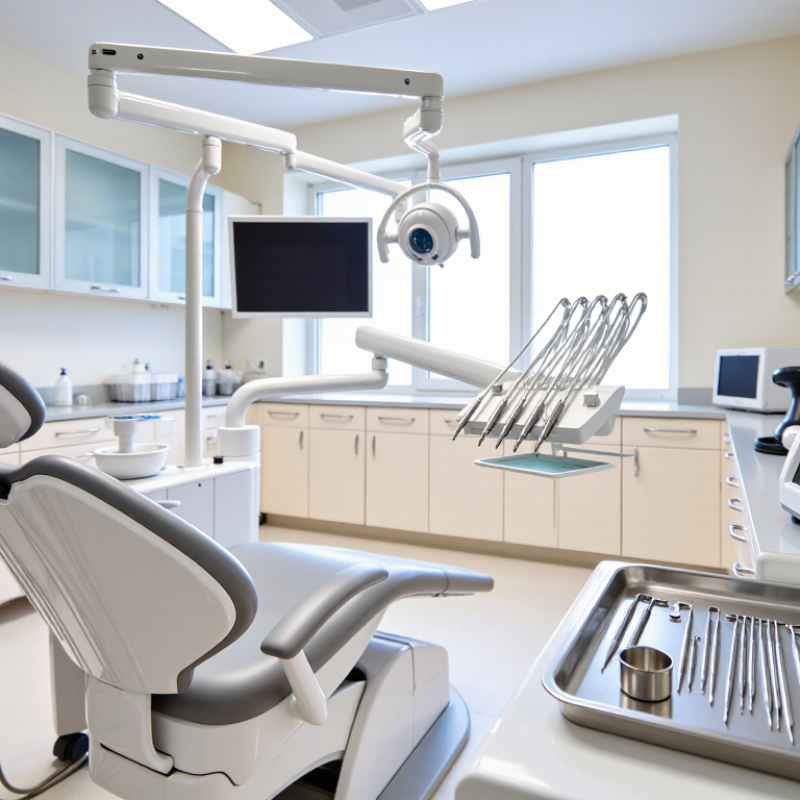
Top 10 Orthodontic Device Maintenance Tips for Buyers?

Assess Maintenance Requirements Before Purchasing an Orthodontic Device

Top 10 Orthodontic Device Maintenance Tips for Buyers

Assess maintenance before approving any orthodontic device. A low purchase price can hide labor, downtime, and replacement costs. The WHO Global Oral Health Status Report 2022 estimates that nearly 3.5 billion people live with oral diseases. It also reports about 2.5 billion untreated cases of permanent-tooth decay. That scale makes reliable, cleanable equipment a clinical priority.

Ask ten practical questions. Can staff access every surface? Are cleaning tools included? What is the inspection interval? Which parts require replacement? Can the device withstand the planned disinfection method? Is calibration traceable? Are service records easy to export? How quickly are spare parts available? Does the supplier provide training? What happens when support ends? Request written answers, not reassuring demonstrations. CDC guidance requires reusable dental devices to follow validated cleaning, packaging, and sterilization instructions (CDC, Summary of Infection Prevention Practices in Dental Settings, 2016).

Calculate maintenance per treatment, including labor, consumables, calibration, and discarded components. A five-minute cleaning step can create a significant annual cost across multiple rooms. Test the workflow with gloved staff and a difficult case. Observe residue traps, drying time, and error recovery. Do not assume “maintenance-free” means risk-free. That assumption fails. Compare service data, warranty exclusions, and preventive-maintenance schedules before signing. Perfect forecasts are rare. Budget for one failed component and possible staff retraining.

Top 10 Orthodontic Device Maintenance Tips for Buyers? — Assess Maintenance Requirements Before Purchasing an Orthodontic Device
No. Maintenance Area What Buyers Should Verify Before Purchase Typical Maintenance Practice Recommended Review Frequency Potential Impact if Neglected Buyer Priority
1 Cleaning and Disinfection Confirm which surfaces and components can be safely cleaned, which disinfectants are compatible, and whether the device has removable parts.
  • Clean visible debris after each use.
  • Follow the manufacturer’s approved cleaning and disinfection procedure.
  • Allow components to dry fully before storage.
After every patient use or according to the device’s validated instructions Cross-contamination, material damage, unpleasant odors, and reduced device reliability High
2 Inspection of Wear Parts Identify parts subject to routine replacement, such as seals, tubing, batteries, cutting components, trays, or protective covers.
  • Check for cracks, deformation, corrosion, fraying, or discoloration.
  • Replace worn parts before they affect safe operation.
Before use and at scheduled service intervals Unexpected failure, inaccurate operation, patient discomfort, or interruption of treatment High
3 Calibration and Accuracy Ask whether calibration is required, who may perform it, what reference equipment is needed, and whether calibration records are supplied.
  • Perform functional checks before operation.
  • Complete calibration using the documented procedure.
  • Keep dated calibration records.
At the interval specified by the manufacturer, after repair, or when accuracy is questioned Incorrect measurements, unsuitable treatment decisions, and compliance concerns High
4 Battery and Power System Check battery type, expected service life, charging time, replacement process, charger availability, and whether a backup power option is needed.
  • Use the approved charger and power supply.
  • Inspect for swelling, leakage, overheating, or damaged cables.
  • Store rechargeable batteries under the recommended conditions.
Before each use; battery condition reviewed regularly Unexpected shutdown, reduced operating time, electrical hazards, or treatment delays High
5 Software and Firmware Updates Determine how updates are delivered, whether an internet connection is required, how data is backed up, and whether older hardware remains supported.
  • Install verified updates according to the documented procedure.
  • Back up relevant settings and records before updating.
  • Restrict update access to authorized personnel.
When an approved update is released and during scheduled system reviews Security vulnerabilities, compatibility problems, loss of functionality, or data disruption High
6 Accessories and Consumables List all required accessories and single-use or limited-use consumables, including storage requirements and availability of replacement items.
  • Maintain appropriate stock levels.
  • Check packaging integrity and expiration dates where applicable.
  • Use compatible accessories only.
Inventory reviewed monthly or more often in high-use settings Workflow interruptions, incorrect device operation, and avoidable treatment delays High
7 Storage and Environmental Conditions Verify the specified temperature, humidity, dust, light, and transport requirements, as well as the space needed for safe storage.
  • Store the device clean, dry, and protected from impact.
  • Keep it within the stated environmental limits.
  • Use the supplied case or suitable protective packaging during transport.
Conditions checked daily in clinical areas; storage review periodically Premature aging, corrosion, contamination, inaccurate performance, or physical damage Medium
8 Preventive Service Schedule Request the preventive-maintenance checklist, service intervals, service-provider requirements, and expected downtime.
  • Complete scheduled inspections and safety checks.
  • Document service dates, findings, repairs, and replaced parts.
  • Plan servicing outside critical treatment periods when possible.
According to the risk level, usage, and manufacturer’s service schedule Higher repair costs, reduced lifespan, unsafe operation, and unplanned downtime High
9 Training and User Procedures Confirm the training required for operators, the availability of manuals, and the clarity of cleaning, inspection, and troubleshooting instructions.
  • Train users before independent operation.
  • Use written checklists for routine tasks.
  • Record training and competency reviews.
Before first use, after major updates, and when procedures change User error, preventable damage, inconsistent results, and improper infection-control practices High
10 Service Support and Total Maintenance Cost Evaluate warranty coverage, response times, spare-parts availability, service location, technical documentation, and recurring maintenance expenses.
  • Track labor, parts, consumables, calibration, software, and disposal costs.
  • Keep warranty and service records organized.
  • Review repair trends before the warranty expires.
Cost review annually and before renewal, replacement, or expansion decisions Unexpected ownership costs, extended downtime, and difficulty keeping the device in service High

Create a Routine for Cleaning and Disinfecting Device Surfaces

A reliable surface-care routine begins before purchase. Ask for the device’s cleaning instructions, compatible disinfectants, and required contact time. The CDC’s Guidelines for Environmental Infection Control in Health-Care Facilities stresses that cleaning must precede disinfection. Organic material can reduce disinfectant performance. Wipe handles, control panels, light grips, trays, and adjustment tools after every patient use. Use a fresh, low-lint cloth and enough solution to keep the surface visibly wet for the stated time.

Small misses matter. WHO’s 2022 Global Report on Infection Prevention and Control estimates that 7 in 100 acute-care patients in high-income countries acquire healthcare-associated infections. The report also notes that strong infection-prevention programs can prevent a substantial share of these infections. Orthodontic buyers should therefore check whether surfaces tolerate repeated wiping, moisture, and approved chemical exposure. Test a small hidden area first. Some plastics become cloudy or brittle. That detail is easy to overlook.

Create a simple log with the date, operator, product used, and any surface damage. Keep the procedure beside the treatment area. Short instructions are more likely to be followed during busy sessions. Staff training should include wet contact time, glove changes, and safe disposal of used wipes. A perfect routine is unrealistic. Missed steps still happen. Review the log weekly and revise the workflow when equipment changes. Evidence-based buying protects both the device and the people using it.

Inspect Cables, Attachments, Batteries, and Moving Components Regularly

Top 10 Orthodontic Device Maintenance Tips for Buyers

Inspect cables, attachments, batteries, and moving components before every clinical session. A frayed cable, loose connector, or cracked attachment can interrupt treatment and create avoidable safety risks. Check cable insulation by touch, not only by sight. Confirm that attachments lock firmly and show no unusual wear. Moving components should travel smoothly, without grinding sounds or sudden resistance. Never force them. That mistake is easy to make.

Battery condition deserves equal attention. Look for swelling, heat, leakage, or reduced operating time. Record charging cycles and follow the manufacturer’s replacement schedule. Keep charging contacts clean and dry.

The World Health Organization’s Global Patient Safety Report 2024 states that approximately one in ten patients experiences harm during healthcare, while more than half of this harm is preventable. Routine inspection supports that prevention goal.

Buyers should request maintenance logs, inspection intervals, and service records before purchasing equipment. The CDC’s Summary of Infection Prevention Practices in Dental Settings recommends written maintenance procedures and compliance with manufacturer instructions. Test emergency stops and moving joints regularly. Photograph defects before sending equipment for service.

Small details matter. I have seen teams overlook loose attachments because the device still operated. That judgment can be wrong. A working device is not always a safe device. Documenting minor faults also reveals repeated failures, helping buyers question weak components before warranties expire.

Follow Calibration, Software, and Professional Servicing Schedules

Top 10 Orthodontic Device Maintenance Tips for Buyers

Buyers should examine the maintenance schedule before purchasing orthodontic equipment. Calibration affects measurement accuracy, patient comfort, and treatment decisions. Ask how often calibration is required, who performs it, and whether certificates are supplied. Keep a dated log near the device. Small gaps in records can become expensive problems later.

Software maintenance deserves equal attention. Confirm update frequency, compatibility, data backup procedures, and user access controls. Updates should come from verified sources and follow documented testing steps. Never install software during a busy clinical session. I have seen minor interface changes confuse experienced staff when training was skipped. Keep a rollback plan, even when the update seems routine. It may not be needed, but preparation protects workflow.

Professional servicing should follow the manufacturer’s technical schedule and local clinical requirements. Trained technicians can inspect sensors, cables, handpieces, batteries, and safety features that users may overlook. Buyers should ask about response times, service coverage, spare parts, and inspection reports. Clean equipment according to approved instructions, not personal habit. Moisture, polishing residue, and excessive force can shorten component life. A checklist helps, although staff may still miss one item during a crowded afternoon. Review those misses without blame, then adjust the schedule, training, or workload. Keep service records, calibration certificates, software versions, and repair notes together for reliable audits and informed purchasing decisions.

Store, Document, and Replace Orthodontic Devices Responsibly

Top 10 Orthodontic Device Maintenance Tips for Buyers

Store, Document, and Replace Orthodontic Devices Responsibly

Orthodontic buyers should treat storage as part of patient safety, not simple housekeeping. Keep aligners, retainers, elastics, and hand instruments in clean, dry, labeled containers. Avoid direct sunlight, heat, moisture, and unsealed drawers. The WHO Global Report on Infection Prevention and Control (2022) estimates that 7 in 100 hospitalized patients in high-income countries acquire at least one healthcare-associated infection. Orthodontic settings differ, but careful handling still reduces avoidable contamination risks.

Tips: Record the purchase date, lot number, cleaning cycle, user instructions, and inspection results. A basic spreadsheet can expose repeated failures. Check hinges, edges, discoloration, cracks, warping, and loss of elasticity before use. Follow the device’s validated instructions for use. CDC dental infection-control guidance supports cleaning and heat sterilization when instruments require it. Never assume “looks clean” means “ready.”

Replace devices when they reach their stated service life, fail inspection, or cannot be processed safely. Do not repair a distorted retainer with improvised heat. Do not keep a cracked instrument for convenience. FDA post-market safety reporting shows why traceability matters: small documentation gaps can delay investigation and corrective action. In practice, teams sometimes record replacement dates but forget storage conditions. That weakness deserves review. A monthly audit, photographed damage log, and clearly assigned responsibility can help, though even good systems need human judgment.

Top 10 Orthodontic Device Maintenance Tips for Buyers? – Store, Document, and Replace Orthodontic Devices Responsibly

This planning chart converts common maintenance cadences into approximate annual occurrences, assuming daily clinical use. Reprocess reusable devices after every use, verify storage conditions weekly, complete documented inspections monthly, and perform an annual inventory and replacement review. Always follow the device manufacturer’s instructions for use and applicable local regulations.

FAQS

What should be done before disinfecting an orthodontic device surface?

Clean away visible soil first. Organic material can weaken disinfectant performance. Then apply an approved solution and keep the surface visibly wet for its required contact time.

Which device areas need cleaning after every patient use?

Wipe handles, control panels, light grips, trays, and adjustment tools. Use a fresh, low-lint cloth. Small missed areas can still matter.

How can buyers check whether surfaces tolerate repeated cleaning?

Ask for compatible disinfectants and processing instructions before purchase. Test a hidden area first. Some plastics may become cloudy, brittle, or damaged.

What information should a cleaning record include?

Record the date, operator, product used, and visible surface damage. Keep the procedure near the treatment area. Short instructions are easier to follow during busy sessions.

What should staff inspect before each clinical session?

Check cables, connectors, attachments, batteries, and moving parts. Look for fraying, cracks, swelling, heat, leakage, or unusual wear. A working device is not always safe.

How should moving components and attachments be tested?

Attachments should lock firmly. Moving parts should travel smoothly without grinding or sudden resistance. Never force them. That mistake is easy to make.

What storage practices help protect orthodontic devices?

Store aligners, retainers, elastics, and instruments in clean, dry, labeled containers. Avoid sunlight, heat, moisture, and unsealed drawers. Storage is part of safety.

When should an orthodontic device be replaced?

Replace it after failed inspection, unsafe processing, or the stated service life. Do not keep cracked instruments for convenience. Improvised repairs may create new problems.

Why should buyers request maintenance and service records?

Records reveal repeated failures, missed inspections, and weak components. Ask for maintenance intervals and service history before purchasing. Documentation is not perfect, but it helps.

How often should the maintenance process be reviewed?

Review cleaning and inspection logs weekly. Conduct a broader storage audit monthly. Assign responsibility clearly, while remembering that human judgment can still fail.

Conclusion

Proper maintenance is essential for keeping orthodontic devices safe, accurate, and dependable throughout their service life. Before purchasing a device, buyers should review its cleaning needs, replacement parts, operating environment, and servicing requirements. A consistent routine should include cleaning and disinfecting external surfaces according to the device’s instructions, while avoiding methods that could damage sensitive materials or electronic components. Regular inspections can help identify worn cables, loose attachments, weak batteries, unusual movement, or other early signs of malfunction.

Maintenance Of Orthodontic Devices should also include scheduled calibration, software updates, and professional servicing when required. Users should store equipment in a clean, dry, protected location and keep clear records of inspections, repairs, and part replacements. Any device that is damaged, unreliable, or beyond its recommended service period should be replaced responsibly rather than used beyond safe limits. By combining careful purchasing decisions with routine care and accurate documentation, buyers can support consistent performance, reduce avoidable downtime, and promote safer long-term use.

Aria

Aria

Aria is a dedicated marketing professional with a deep passion for innovative strategies and a keen understanding of our company's product offerings. With a wealth of experience in the industry, Aria excels at crafting engaging content that highlights the unique features and benefits of our......